这篇文章同时写两个板块的代码,一个板块是我的媒体,另一个板块是关注我
下面直接上“我的媒体”、“关注我”效果图
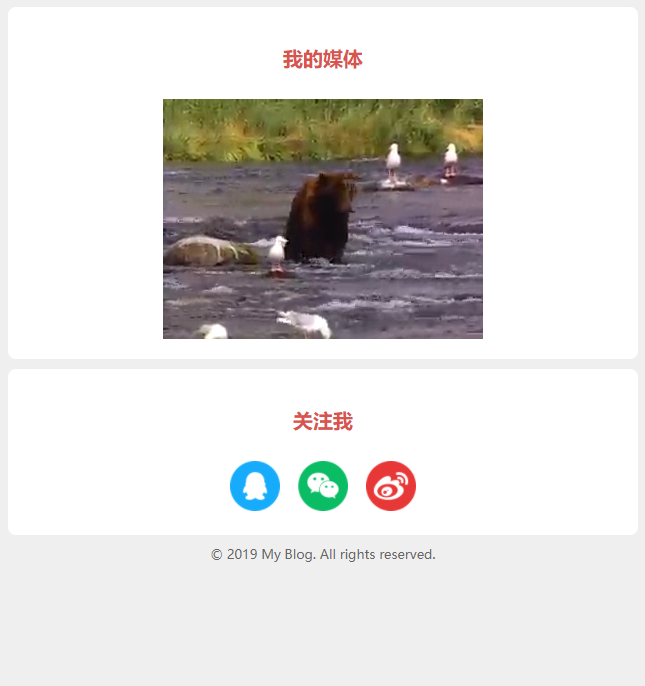
代码双手奉上:
<!DOCTYPE html>
<html lang="en">
<head>
<meta charset="UTF-8">
<title>我的媒体制作-宗波尘客</title>
<style>
html {
margin: 0;
padding: 0;
}
body {
font-size: 14px;
color: #333;
background-color: #efefef;
padding: 10px;
margin: 0;
}
h2 {
font-size: 20px;
color: #d9534f;
text-align: center;
padding: 18px 0 18px 0;
margin: 0 0 10px 0;
}
.section {
background-color: #fff;
padding: 20px;
margin-bottom: 10px;
border-radius: 8px;
}
iframe,audio,video {
display: block;
margin: 0 auto;
}
#follow img {
height: 50px;
width: 50px;
margin-left: 7px;
margin-right: 7px;
}
#follow a {
text-decoration: none;
}
#follow img:hover {
opacity: 0.8;
}
#follow {
text-align: center;
}
.copyright {
font-size: 13px;
text-align: center;
padding-bottom: 10px;
color: #666;
}
</style>
</head>
<body>
<div class="section">
<h2><span>我的媒体</span></h2>
<iframe height="240" width="320" src="https://www.w3cschool.cn/statics/demosource/movie.mp4" allowfullscreen frameborder="0"></iframe>
</div>
<div class="section" id="follow">
<h2><span>关注我</span></h2>
<div>
<a href="#">
<img alt="qq" src="https://www.w3cschool.cn/statics/demosource/myblog/qq.png" />
</a>
<a href="#">
<img alt="weixin" src="https://www.w3cschool.cn/statics/demosource/myblog/weixin.png"/>
</a>
<a href="#">
<img alt="weibo" src="https://www.w3cschool.cn/statics/demosource/myblog/weibo.png" />
</a>
</div>
</div>
<div class="copyright">
© 2019 My Blog. All rights reserved.
</div>
</body>
</body>
</html>只要把我这六篇文章的代码合起来就可以形成个人博客网站首页单页了!
个人博客网站首页成品效果预览
宗九尘博客与你同在!